The setup
In my last post, I explored why traditional specs, no matter how detailed, often don’t tell the full story. They leave too much room for interpretation. Several readers pushed back: “Okay, but what does the alternative actually look like? Show me.”
Fair enough. Let’s do exactly that.
One feature, two approaches
We’ll take a real business activity that every bank deals with: loan origination. A customer applies for a loan, the bank assesses risk, makes a credit decision, and (if approved) disburses funds. It sounds simple. It never is.
Let’s plan this feature twice. First the way most companies and teams do it today. Then with #EventModeling.
The traditional way: wiki pages and backlog tickets
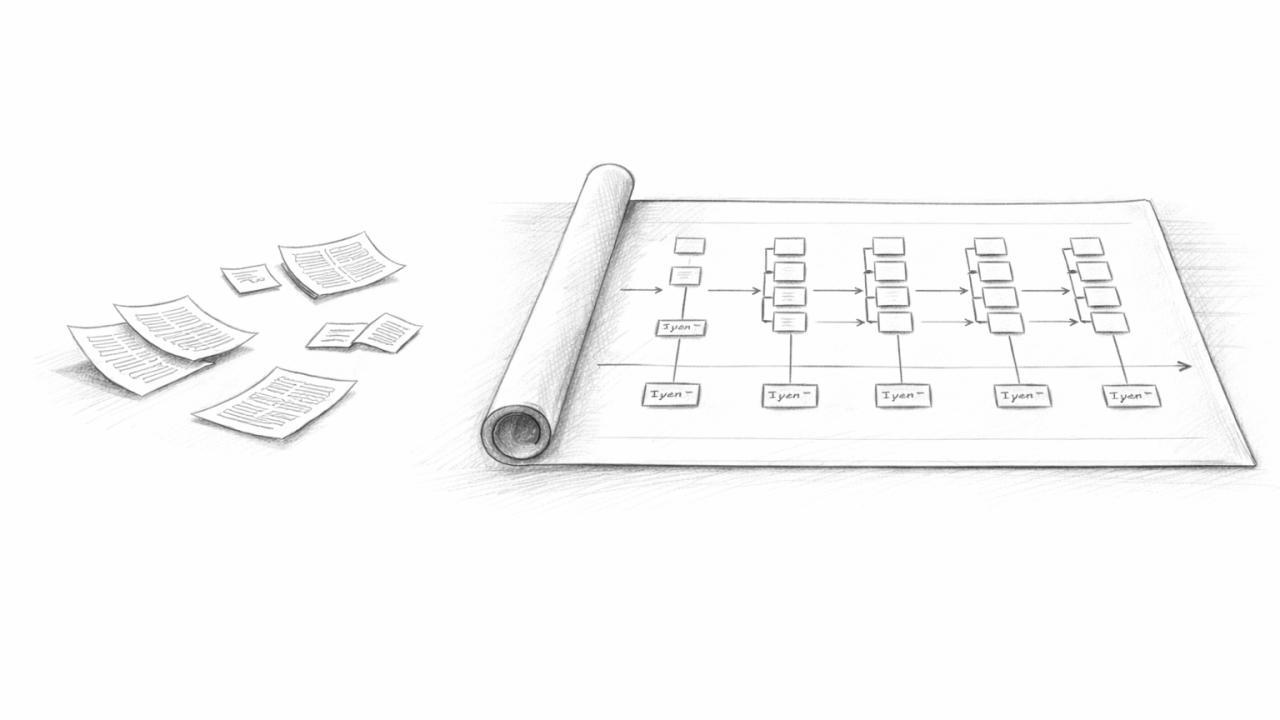
The business analyst (BA) writes a wiki page titled “Loan Origination Requirements.” It’s twelve pages long. It covers the happy path clearly enough: customer submits application, system runs credit check, underwriter reviews, loan gets approved, funds go out. There are sections on data fields, a few wireframe screenshots, and a paragraph about error handling that says “the system should display appropriate error messages.”
From that wiki page, the team creates an epic in their project tracker: “Loan Origination.” Under it sit fifteen stories:
- As a customer, I want to submit a loan application
- As an underwriter, I want to review loan applications
- As a system, I want to run credit checks automatically
- As an operations user, I want to disburse approved loans
…and so on. Each story has acceptance criteria. Some are detailed. Some say “see wiki page for details.” A few reference a chat thread from two weeks ago that half the team missed.
Sprint planning happens. Developers estimate. Work begins. And here’s where the gaps start to show.
Three weeks in, the developer building the credit check integration asks: “What happens if the credit bureau returns two scores for the same applicant?” That scenario wasn’t documented. The BA schedules a meeting. A week later there’s an answer, but it contradicts a business rule on page eight of the wiki doc.
Five weeks in, Quality Assurance (QA) asks: “If the underwriter rejects the loan, what does the customer see? Is there a notification? Who sends it?” The ticket for rejection says “system records decision.” Nothing about downstream effects. Another meeting. Another week.
Eight weeks in, the compliance officer reviews the build and asks: “How do we prove that every application received a credit decision within the 30-day window required by the Equal Credit Opportunity Act (ECOA)?” There’s no clear answer, because the timestamp on the application was never explicitly connected to the timestamp on the decision. It wasn’t a ticket. It wasn’t in the wiki page. It was assumed.
The feature ships late. The team spent more time in clarification meetings than writing code. The compliance gap gets patched with a manual report that someone runs monthly. Everyone is frustrated, but it’s hard to pinpoint the root cause, because the process looked right.
The EventModeling way
Same feature. Same team. Different starting point.
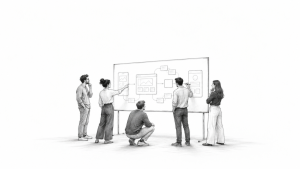
Instead of writing a wiki page, the team runs a two-day EventModeling workshop. Business stakeholders, developers, QA, and the compliance officer sit in the same room (or virtual board). They build a timeline together.
The timeline starts with the customer’s first interaction and ends with funds hitting the customer’s account. Every step in between is modelled explicitly. Not in prose, but as concrete slices on a visual board.
Here’s what emerges:
Slice 1 (State Change): The customer submits an application. Command: SubmitLoanApplication. Event: LoanApplicationSubmitted. The event payload is defined right there on the board: applicant name, requested amount, property address, income declared, submission timestamp.
Slice 2 (Automation): The system detects the new application and kicks off a credit check. No human involved. The automation watches for LoanApplicationSubmitted, issues a command RequestCreditCheck, and waits for the response.
Slice 3 (Translation): The credit bureau responds. This is an external system speaking its own language. The translation slice takes the bureau’s response (which might include multiple scores, error codes, or partial data) and converts it into an internal event: CreditCheckCompleted. The payload includes the selected score, the decision logic for handling multiple scores, and a flag if the check was inconclusive.
Right here, in the modelling session, someone asks: “What if the bureau returns two scores?” The question gets answered on the spot. The translation logic is defined. The rule is visible in the model. No chat thread. No follow-up meeting three weeks later.
Slice 4 (State View): The underwriter opens their review screen. The read model shows the application details, the credit score, the debt-to-income ratio (calculated from declared income and bureau data), and any flags. Every data field on that screen is defined in the model. Every field traces back to specific events.
Slice 5 (State Change): The underwriter makes a decision. Command: DecideLoanApplication. Event: either LoanApproved or LoanRejected. The event includes the underwriter’s ID, the decision rationale, and the timestamp.
Slice 6 (Automation): If rejected, an automation triggers a notification to the customer. If approved, a different automation initiates the disbursement workflow. Both paths are visible on the board. Nobody discovers the missing notification in sprint seven.
Slice 7 (State View): The compliance team gets their own read model: a projection that calculates the elapsed time between LoanApplicationSubmitted and DecideLoanApplication for every application. ECOA compliance isn’t an afterthought patched in with a manual report. It’s a slice in the model, visible from day one.
The whole workflow fits on one visual board. Every stakeholder can point at a slice and ask questions. Every edge case that surfaces gets resolved during the session, not during sprint seven. Every compliance requirement has a home in the model before anyone writes a line of code.
What’s different, and why it matters
The traditional approach generated documentation. The EventModeling approach generated shared understanding.
With wikis and ticket trackers, each person reads the spec through their own lens. The developer sees API endpoints. The BA sees user flows. The compliance officer sees audit requirements. They’re all looking at different documents (or different sections of the same document), and nobody realises their mental models diverge until something breaks.
With #EventModeling, everyone looks at the same board. The four building blocks (State Change, State View, Automation, Translation) give every slice a predictable shape. There’s no room for “I interpreted that differently” because the model isn’t prose. It’s a concrete sequence of inputs, decisions, and outcomes.
The results show up in ways that are hard to argue with. Teams that model first spend less time in clarification meetings. QA starts writing tests directly from the model, because every slice already has a Given/When/Then structure baked in. Compliance requirements are visible and testable from the start, not bolted on after the first audit finding.
And here’s the part that matters most for anyone managing budgets and timelines: the cost of discovering a missing requirement during modelling is a 15-minute conversation. The cost of discovering it in sprint seven is a two-week rework cycle, a frustrated team, and maybe a compliance gap that someone papers over with a spreadsheet.
The question worth asking
If your team is about to start planning the next big feature, ask yourself: are you going to write another wiki page and break it into backlog tickets? Or are you ready to put every stakeholder in front of one board and model the actual behaviour of the system before anyone opens an IDE?
The feature is the same either way. The journey to get there is not.
Originally published on LinkedIn (2026-03-13): https://www.linkedin.com/pulse/same-feature-two-worlds-planning-tickets-vs-gabriel-n-schenker-p3mze